


I came away from Bitwarden Password Manager with one clear impression: its most valuable idea is not simply storing passwords, but making secure sign-ins practical enough to use every day. Instead of asking me to remember a long collection of unique credentials, it gives me one protected place for them and helps fill them when I need to log in. That small change removes a surprising amount of friction from online life.
Bitwarden is a free productivity app from Bitwarden Inc., available for everyone and designed for people who want a safer way to handle logins. It has been available since August 27, 2016, and its current version is 2026.8.0 for devices running Android 10 or later. The app has earned a 4.7 average from around 173 thousand ratings and has passed 5 million installs, which fits my experience: this is a mature tool rather than a password manager that feels experimental.
The real value is turning safer passwords into a routine
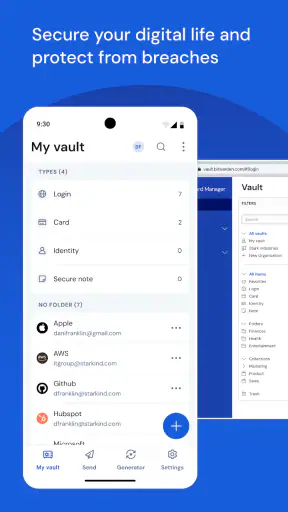
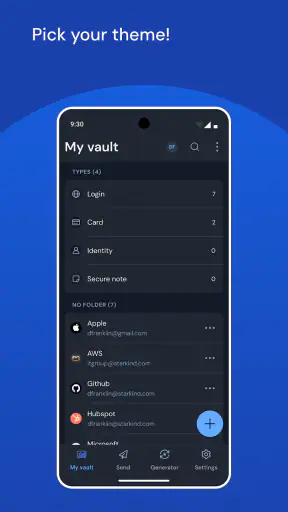
The central capability I focused on is the app’s password vault. A vault is useful only if I actually use it, and Bitwarden understands that the difficult part is often not creating a strong password once. The difficult part is doing the right thing every time I open a new account, change an old password, or sign in on a different device.
With Bitwarden, I can keep login details in one organized place instead of scattering them across notes, browser fields, memory, and reused passwords. When I need a credential, the app can help me retrieve it rather than forcing me to type a complicated string manually. That matters on a phone, where switching between a browser, an email message, and a settings screen can make even a simple login annoying.
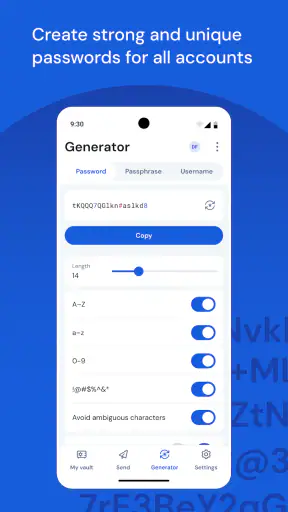
I also like the way this capability changes my behavior. Without a password manager, I am tempted to choose something memorable and use it again. With a vault, the practical objection disappears: I do not need to memorize every unique password because the app handles the remembering. The strongest benefit is not convenience instead of security; it is convenience making better security easier to maintain.
Why the vault matters beyond ordinary logins
A password vault becomes especially useful when an account is important but rarely used. Think about an insurance portal, an old email account, a tax service, or a home internet provider. These are exactly the logins I tend to forget, yet they may contain sensitive information or control other accounts. Saving them in Bitwarden means I do not have to reset access every time I return months later.
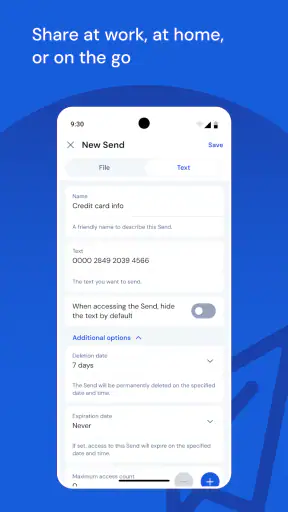
The same applies to accounts shared within a household, although I would be careful about deciding what should be shared and who should have access. A password manager is not a reason to put every personal credential in one family collection. I would use it to make deliberate choices: keep private accounts private, and share only credentials that genuinely need to be available to another person.
It is also useful for separating work and personal logins. I can keep a clearer mental boundary between the two instead of relying on browser autofill to guess which account I mean. That distinction is valuable when the same service has separate personal and professional profiles.
How using it feels in ordinary situations
The first stage is setting up the vault and learning its rhythm. I would begin by adding the accounts I use most often rather than trying to migrate my entire digital life in one sitting. Email, banking, shopping, social networks, and the accounts that can reset other passwords are the best starting points. Once those are saved, the app becomes useful immediately, even if the rest of the vault is still incomplete.
When I create a new account, the important workflow is to save the credential at the moment it is created. If I postpone that step, I may end up with an account that exists outside the vault and later fall back into password reuse. I found it more effective to treat saving the entry as part of account creation, not as optional housekeeping.
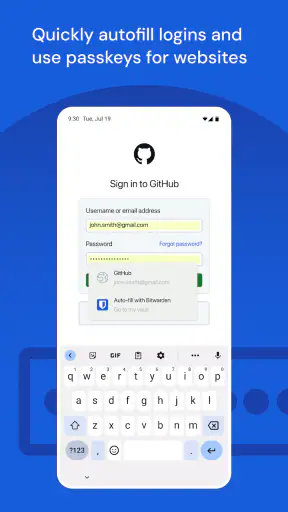
On a phone, the experience depends on the operating system’s password and autofill settings as well as the app itself. That is a normal tradeoff for any password manager. If autofill does not appear, I would check that Bitwarden is selected as the preferred password service, then confirm that the app is unlocked and that the matching login is stored correctly. A little setup is required, but it is worth doing once because it affects every later sign-in.
There are moments when I still prefer to open the vault and copy a value manually. Some apps use unusual login screens, embedded browsers, or several fields that do not identify themselves clearly. In those cases, automatic filling may not behave exactly as I expect. Bitwarden remains useful because the credential is still available, but the process is less seamless than it is on a straightforward website.
A realistic everyday example
Imagine that I receive a message telling me to review a delivery problem. I open the retailer’s official app rather than following a suspicious link, but I have not used the account for several months. I do not remember the password, and I do not want to create another variation of the same password. I open Bitwarden, find the saved entry, and use the stored credential to sign in. The app has turned a moment that could lead to a rushed reset or unsafe reuse into a routine lookup.
Afterward, I would also take a minute to consider whether that account has a unique password and current recovery details. This is one of the less obvious advantages of having a visible inventory: weak or duplicate habits are easier to notice when accounts are gathered in one place. The vault does not make those decisions for me, but it gives me a much better view of what needs attention.
Moving from scattered passwords without making the process miserable
I would not recommend trying to fix every account in one evening. A better workflow is to add the accounts that protect other accounts first, then update passwords as I encounter older logins. For each important entry, I would check the username, website address, and any notes before saving it. A password manager is only as helpful as the information stored inside it.
This gradual approach also exposes an important practical question: where are my existing credentials currently kept? They may be in a browser, an old notebook, a phone note, or memory. I would move them carefully and delete insecure copies only after confirming that the new vault entry works. That extra verification step prevents a cleanup project from becoming an access problem.
The best scenario for Bitwarden
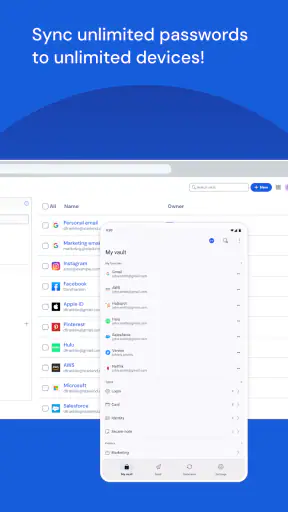
Bitwarden makes the most sense for someone who uses several devices, has more accounts than they can comfortably remember, or wants to stop reusing passwords without turning security into a daily chore. It is particularly well suited to a person who is willing to spend a little time on setup and then wants a consistent method for signing in.
I also think it fits people who are tired of being locked into a single browser. Browser-based password storage can be convenient when all activity happens in one ecosystem, but it becomes less satisfying when I move between browsers, phones, tablets, or computers. A dedicated manager gives the password vault a clearer identity instead of treating it as a secondary browser feature.
For a family, the decision requires more thought. A shared password tool can reduce the temptation to send credentials through chat messages, but the household still needs rules about ownership, recovery, and which accounts are appropriate to share. I would not install it for everyone and assume the problem is solved. The people using it must understand their own access and keep their master sign-in details protected.
It is also a sensible choice for freelancers and small teams who manage many services but do not want a complicated enterprise system. The app’s productivity focus is relevant here: less time spent recovering passwords means more time spent on actual work. Still, I would distinguish between personal organization and formal company security. A growing organization may need administrative controls and procedures beyond what an individual password vault is meant to provide.
Where the experience asks for patience
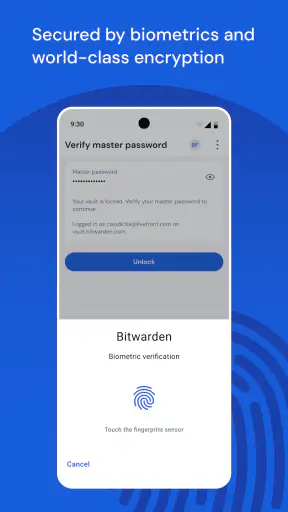
The biggest weakness is that a password manager introduces a new critical point of access. I no longer need to remember dozens of passwords, but I do need to protect the master password and understand the recovery process. That is a fair exchange, but it is not a detail to ignore. If I choose a weak master password or treat it casually, I weaken the foundation of the whole system.
There is also a learning curve around autofill. When it works, it feels almost invisible. When it does not, I may need to open the app, unlock it, locate the correct entry, and copy information into the right fields. Someone expecting every login screen to behave perfectly may find this frustrating. I see it as a limitation of the variety of websites and apps as much as a flaw in Bitwarden, but the inconvenience is still real.
Another tradeoff is the time required to build a reliable vault. Adding entries, correcting old usernames, checking duplicate passwords, and organizing confusing accounts can feel like administrative work. The benefit grows over time, but the initial effort is not zero. People with only a handful of accounts and no interest in changing their habits may not notice enough value to justify that setup.
Compared with a browser’s built-in password storage, Bitwarden feels more deliberate and portable as a dedicated productivity tool, while the browser option may be faster for someone who never leaves one browser ecosystem. Compared with writing passwords in a note, Bitwarden requires more structure but avoids leaving credentials in an easily exposed, unprotected document. Compared with remembering a few passwords and reusing them, it demands a new routine but offers a much healthier long-term pattern.
I would skip it if I am unwilling to maintain a master password, check that saved entries are accurate, or spend time fixing autofill when a particular app does not cooperate. I would also look at a different solution if my main requirement is a highly managed business environment rather than personal or household password organization. Bitwarden is strongest when I want control and a practical vault, not when I want someone else to design every part of an organization’s security process.
Small habits that make the vault more dependable
One useful habit is to save the exact login identifier, not just the password. Many services allow sign-in with an email address, a username, or a phone number, and storing the wrong one can make a correct password appear broken. I would also add a clear note when an account uses a special sign-in route, such as a separate customer number or an unusual account name.
Another is to update the vault immediately after changing a password. It sounds obvious, but an outdated entry is worse than no entry because it creates false confidence. I would test the new credential before removing the old one from any temporary location, then close that loop by confirming that the saved record matches the new login.
Finally, I would avoid treating the vault as a general-purpose diary. Notes can be useful for account-specific information, but sensitive details should have a clear purpose and should not become a dumping ground for unrelated private material. Keeping entries focused makes it easier to find the right information quickly and reduces unnecessary exposure if I am using the app in a public place.
Who gets the most from this app
The ideal user is someone who wants stronger login habits but knows that memory alone will not deliver them. That includes people with many online accounts, frequent travelers who sign in from different devices, users who have experienced password resets, and anyone who has started to worry about how often the same password appears in their life.
I would especially recommend it to a person who says, “I know I should use unique passwords, but I cannot keep track of them.” That sentence describes the exact problem a vault solves. The app does not require me to become a security expert before I can benefit. I can start with important accounts, learn the workflow, and improve the rest gradually.
It is less compelling for someone who has very few logins, never changes devices, and already uses a reliable password system that they understand well. In that case, adding another app may create more maintenance than value. I also would not recommend adopting it casually and then forgetting about it. The vault works best as a regular part of signing in, not as an app opened only after a password has already been lost.
After using it, my recommendation is positive, with one condition: take the initial setup seriously. Bitwarden is free, has an Everyone content rating, and its popularity is reflected in a 4.7 average from around 173 thousand ratings, but those figures matter less than whether the workflow fits the way I use devices. For me, the app earns its place by making unique passwords and organized access realistic rather than theoretical.
My final view is that Bitwarden is a strong choice for people who want a dedicated password manager without turning everyday sign-ins into a technical project. Its real strength is the connection between a secure vault and a repeatable routine. Once that routine becomes familiar, I spend less time guessing, resetting, and reusing passwords. That is a modest change in each individual login, but across a busy digital life, it becomes a meaningful improvement.


